If your team is constantly waiting on slow computers, dealing with frequent crashes, or working around systems that never seem to cooperate, you’re not imagining it—and you’re not alone. These are classic signs your IT is holding you back, and they’re far more damaging than most business owners realize. What feels like a minor daily annoyance often translates into lost revenue, frustrated employees, security vulnerabilities, and missed growth opportunities. At Jordan Tech, we bring more than 55 years of combined experience helping businesses, nonprofits, and professional organizations across Northwest Indiana and beyond recognize when their technology is holding them back instead of helping them move forward.
Why Business IT Problems Go Unnoticed Until It’s Too Late
Business IT problems rarely announce themselves with a bang. They creep in slowly—an extra minute here, an unexpected reboot there, a backup that silently fails—until one day your team is spending more time fighting technology than doing their actual work. A computer that takes five extra minutes to boot might sound trivial, but multiply that across every employee, every day of the year, and you’re looking at hundreds of lost work hours. Add in the hidden cost of opportunity—clients you can’t take on, tools you can’t adopt, markets you can’t enter—and the numbers get alarming fast.
Warning Sign #1: Slow Systems and Constant Network Downtime
If you or your employees regularly say things like “the computer is slow today” or “the internet is down again,” that’s not normal—it’s a red flag. Reliable technology should fade into the background, letting your team focus on their work. Persistent network downtime is one of the clearest indicators that something underneath the surface isn’t right.
Slow systems typically point to aging hardware, insufficient memory, outdated operating systems, poorly configured networks, or malware running in the background. Watch for machines taking more than a minute or two to boot, frequent app crashes, Wi-Fi dropouts in certain parts of your office, printers that regularly disconnect, and employees rebooting their machines multiple times a day. Any one of these is tolerable short-term. Together, they point to an environment that needs serious attention.
Warning Sign #2: Small Business Cybersecurity Gaps Nobody’s Watching
Small business cybersecurity is now one of the most urgent concerns for any organization, because attackers specifically target smaller companies assuming their defenses are weaker. If you’re not sure when your antivirus was last updated, whether your employees have had phishing training, or if your email is properly filtered, your organization is likely more exposed than you think.
According to the FBI’s 2024 Internet Crime Report, reported cybercrime losses reached a record $16.6 billion last year—a 33% increase over 2023. Common cybersecurity gaps include no multi-factor authentication on email and critical accounts, weak or shared passwords, no phishing awareness training in the past 12 months, and nobody monitoring the dark web for compromised credentials. The Cybersecurity and Infrastructure Security Agency (CISA) offers strong baseline guidance on what every business should have in place. If any of those layers are missing, that’s a serious warning sign.
Warning Sign #3: Data Backup You Can’t Actually Trust
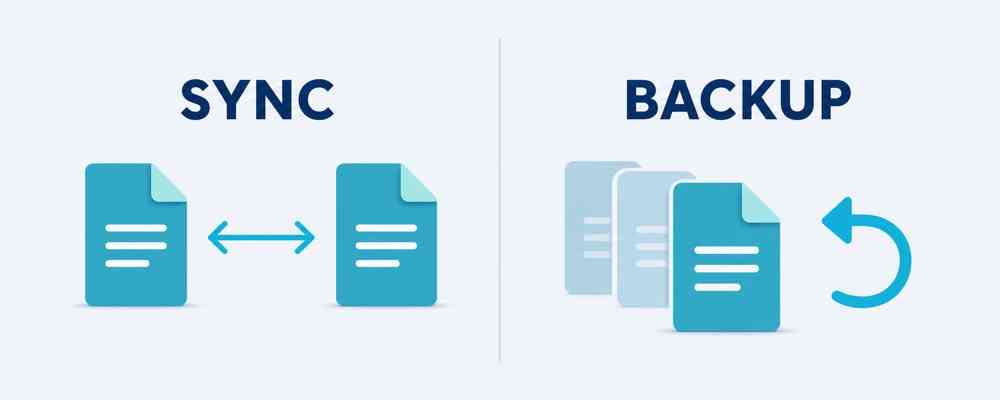
Ask yourself: if your server failed tomorrow or ransomware encrypted every file in your organization, how confident are you that you could recover? If the answer involves hesitation or “I think so,” you have a serious data backup problem. Many organizations assume they’re protected because files sync to a cloud service or because someone set up a backup system years ago. But configurations break, external drives fail, and cloud sync isn’t the same as true backup. Without regular testing, you may not discover the gaps until it’s too late—usually right when you need your data the most.
Warning Sign #4: Tech Support That Feels Like a Chore
Good IT support should feel like a relief, not a burden. If calling your current provider means long hold times, confusing jargon, or days of back-and-forth before problems get resolved, you’re dealing with the wrong partner. A quality managed service provider should respond within an hour, communicate in plain language, and resolve most issues remotely before they snowball. Warning signs include response times that stretch from hours to days, unpredictable billing for basic support, technicians who talk over your head, and the same recurring issues that never get a long-term fix. Reactive, fire-fighting support that never addresses root causes is a drain on your time, budget, and team morale.
Warning Sign #5: Remote Work Technology That Can’t Keep Up
Flexible work arrangements are now the norm for most knowledge workers. If your team struggles to access files from home, can’t securely connect to the office network, or has to jump through hoops to collaborate across locations, your remote work technology hasn’t caught up with the way your people actually work. Modern cloud platforms like Microsoft 365 and Google Workspace make remote collaboration seamless when they’re properly configured. When foundational pieces—VPNs, device management, cloud-based backups—are missing or misconfigured, your team pays the price every day with clunky workarounds, version conflicts, and security risks that grow with every remote login.
Warning Sign #6: More IT Emergencies Than IT Strategy
Take a look at your IT spending from the past year. How much went toward planned, proactive improvements versus emergency repairs and unexpected outages? If the emergency column dominates, your IT approach is fundamentally reactive—and that’s one of the most expensive ways to run a business. Reactive IT looks like surprise invoices, urgent late-night repairs, and data loss from failed backups. Proactive IT looks like predictable monthly costs, issues resolved before anyone notices, regular security updates, and a clear technology roadmap. If you’re stuck on the reactive side, your IT isn’t supporting your business—it’s quietly siphoning resources away from it.
Warning Sign #7: Outdated IT Infrastructure That Won’t Scale
Technology should enable growth, not constrain it. If adding new employees means days of setup headaches, if opening a new location requires months of planning, or if your systems slow to a crawl during busy periods, your outdated IT infrastructure has become a bottleneck. Scalable IT—built on cloud platforms, properly designed networks, and flexible licensing—adapts easily as your organization grows. You can add users in minutes, expand storage on demand, and support new locations without rebuilding from scratch. Waiting until a major initiative stalls because your infrastructure can’t support it is a far more expensive lesson than planning ahead.
From IT Warning Signs to Real Business Impact
Individually, each of these IT warning signs feels manageable. Collectively, they create a pattern of chronic drag on your entire organization: reduced productivity, higher turnover when frustration peaks, lost customers who experience delays, missed compliance requirements, and the ever-present risk of a costly security incident. There’s also an emotional cost that rarely shows up on a spreadsheet. Leaders distracted by tech problems can’t focus on strategy, and the mental weight of knowing something could fail at any moment affects every decision you make.
Signs You Need Managed IT Services—and What Comes Next
Recognizing the signs your IT is holding you back is the first step. If you’ve nodded along to more than two or three of the warning signs above, those are clear signs you need managed IT services—not just one-off fixes. The second step is understanding what “better” actually looks like: what changes when proactive monitoring replaces reactive firefighting, when layered cybersecurity protects you before an attack lands, and when your technology finally starts pulling its weight. That’s exactly what we’ll cover in next month’s follow-up article. For now, start documenting where your technology is currently failing you—that simple inventory makes it much easier to evaluate whether your current setup is actually serving your business.
Don’t Ignore the Signs Your IT Is Holding You Back
Every day you overlook the signs your IT is holding you back, the costs quietly accumulate—in lost productivity, security exposure, employee frustration, and missed opportunities. The good news is that these problems are almost always fixable with the right partner and a thoughtful plan. At Jordan Tech, we’ve helped hundreds of businesses and nonprofits across Northwest Indiana and throughout the country transform their technology from a daily headache into a genuine competitive advantage. Contact Jordan Tech today for a no-pressure conversation about your current IT setup. Call us at (219) 756-5280 or reach out through our website—we typically respond within an hour. Your technology should be moving your business forward. Let’s make sure it is.