Understanding cloud sync vs backup is essential when your business depends on digital files every day. Both can place data in the cloud, but they solve different problems. Sync keeps current files available across devices and users. Backup preserves recoverable copies when files are deleted, damaged, or compromised. Jordan Tech helps small businesses, nonprofits, and professional offices use both tools correctly, without unnecessary complexity.
The distinction sounds small until an important folder disappears or a bad change spreads across every connected device. Knowing what each service does helps you set realistic expectations and avoid discovering a recovery gap during an emergency.
The Difference Between Cloud Sync and Backup
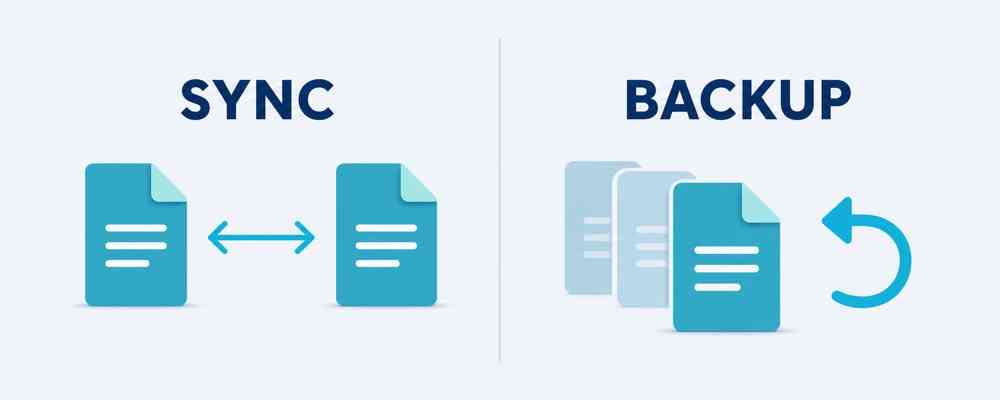
The main difference between cloud sync and backup is purpose. Sync supports access and collaboration. Backup supports protection and recovery.
What cloud sync does
Cloud sync keeps matching files updated in multiple locations. Edit a document on your laptop, and the latest version can appear on your phone, another computer, or a shared workspace. This file synchronization helps teams collaborate, work remotely, and avoid passing attachments back and forth.
Microsoft OneDrive, SharePoint, and Google Drive are familiar examples. When sync works correctly, everyone with permission sees the current file. The same process also copies unwanted changes. Delete a synced document, overwrite it with incorrect information, or allow malware to modify it, and that change may spread throughout the connected environment.
What backup does
A backup creates a separate copy that can be restored after data loss. A managed business data backup runs on a schedule, retains versions for a defined period, and provides a recovery path that does not depend only on the live files.
Good backups are isolated from the working environment and monitored for failures. They may protect shared folders, email, databases, servers, workstations, and cloud applications such as Microsoft 365. The goal is not to keep every device showing the same current file. The goal is to recover a clean copy when the current file is no longer usable.
Cloud Sync vs Backup at a Glance
| Cloud Sync | Backup |
|---|---|
| Keeps files current across devices and users | Preserves recoverable copies of data |
| Supports access, sharing, and collaboration | Supports recovery after loss or damage |
| Mirrors current changes, including mistakes | Can retain versions from before a problem |
| Usually operates inside the active file environment | Should include a copy separate from active files |
The simplest summary of cloud sync vs backup is this: sync helps your team work, while backup helps your organization recover. Most businesses benefit from both because convenient access and dependable recovery are separate needs.
How to Check Your Current Setup
Start by identifying which services are syncing and which are actually backing up data. Then ask a few direct questions:
- Which files, email accounts, databases, and applications are critical?
- Where is the separate backup copy stored?
- How often does the backup run?
- How long are previous versions retained?
- Who receives an alert when a backup fails?
- When was the last successful test restore?
A dashboard that says a backup completed is helpful, but a test restore provides stronger evidence. Choose a representative file, restore it to a safe location, open it, and confirm that the contents are complete. This simple check can reveal missing data, unclear instructions, expired credentials, or settings that need attention.
Reviewing cloud sync vs backup does not need to become a large technical project. The goal is to know what is protected, understand how recovery works, and correct obvious gaps before a real incident tests the plan.
Protect the Data Your Business Depends On
Cloud sync vs backup is not a choice between one useful tool and one unnecessary tool. Sync keeps people productive by making current files accessible. Backup protects continuity by preserving recoverable copies when current files are lost or damaged.
If your only answer is, “our files are in the cloud,” it may be time to look more closely. Jordan Tech brings more than 20 years of experience to managed IT, cloud services, cybersecurity, and backup recovery. Our team communicates in plain language and helps organizations build reliable protection without the cost of an in-house IT department.
If you are unsure whether your files are synced, backed up, or both, contact Jordan Tech. We can review your current setup, explain the gaps, and help create a dependable recovery plan for your business