Modern organizations rely heavily on secure, flexible technology, which is why so many leaders ask: how do businesses use cloud computing to run better? For small businesses, nonprofits, and professional teams, cloud-based tools offer a powerful way to stay productive, reduce risk, and avoid the technical headaches that slow everything down. At Jordan Tech, we see this every day when helping clients adopt the right cloud solutions for their needs, and we’ve built our approach around making this transition simple and secure. If you’re exploring cloud technology for your organization, you can also learn more about our full support services at Jordan Tech.
This article breaks down how businesses use cloud computing in real, practical ways—from handling data and improving security to keeping teams connected from anywhere. You’ll see the advantages, the risks of ignoring cloud adoption, and the steps organizations can take to move forward confidently.
Understanding the Value Behind Cloud Computing
Cloud computing allows organizations to store data, run applications, and collaborate using remote servers instead of relying solely on on-premise hardware. For many leaders, the first major benefit is reliability: fewer crashes, fewer disruptions, and fewer unknowns. When technology lives in the cloud, updates are automatic, backups are consistent, and resources scale with your needs—something that’s difficult to achieve using aging, local servers.
The question isn’t just how do businesses use cloud computing, but why they rely on it. The answer typically centers on five themes: accessibility, security, cost control, collaboration, and resilience. Each of these directly impacts daily operations, and many small organizations discover that cloud platforms help them operate with the stability and capability of much larger companies.
How Cloud Computing Solves Everyday Problems
Many organizations experience the same recurring challenges: files scattered in multiple locations, unreliable backups, slow systems, and difficulty accessing information outside the office. These problems create frustration, lost time, and security risks. Cloud solutions eliminate much of this friction.
Reduced Downtime & More Reliable Performance
Traditional systems depend on physical servers that require maintenance, upgrades, and manual oversight. When something fails—hardware, power, or cooling—everything stops. Cloud environments offer redundancy and automatic failover, keeping systems available even when issues occur behind the scenes.
When businesses adopt cloud applications and storage, interruptions decrease significantly. Teams spend less time troubleshooting and more time getting work done. For organizations without internal IT staff, this reliability is a game-changer.
Stronger Security Through Centralized Protection
Security challenges are rising across every industry. Cloud platforms integrate advanced protections like threat detection, encrypted storage, and multi-factor authentication. These built-in safeguards help organizations reduce the risk of breaches without purchasing expensive hardware or hiring a dedicated security team.
This is where cloud computing becomes especially valuable for small businesses and nonprofits that need enterprise-grade security but don’t have enterprise budgets. Instead of trying to manage firewalls, updates, and backups on their own, they rely on secure cloud ecosystems supported by experts.
Improved Data Backup & Recovery
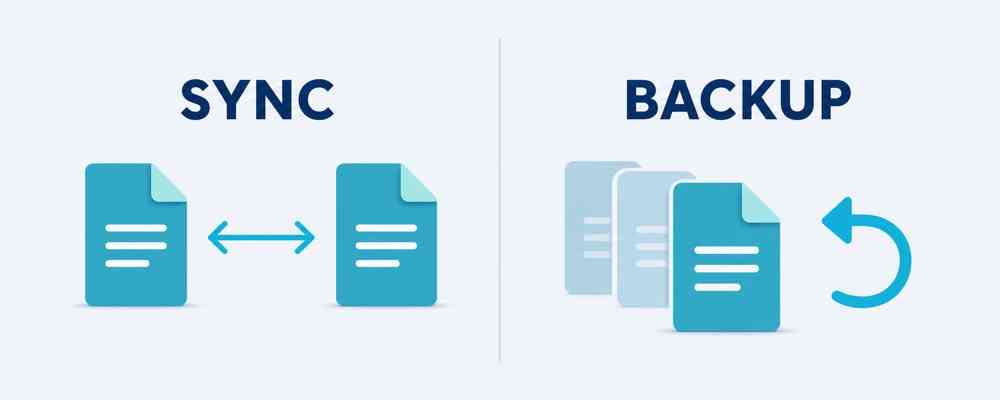
One of the most common reasons companies explore how do businesses use cloud computing is the need for more dependable backups. Cloud-based backup solutions create automatic copies of data, store them securely offsite, and allow quick restoration if something goes wrong—whether it’s hardware failure, ransomware, or accidental deletion.
The impact is significant: when backups are automated and well-structured, downtime decreases, recovery is faster, and the organization avoids costly setbacks.
Flexible Access for Remote and Hybrid Teams
Cloud technology makes it easy to work from anywhere. Whether employees are in the office, traveling, or at home, they can securely log in to email, documents, and line-of-business applications. This flexibility allows organizations to hire beyond their local area, reduce office overhead, and keep operations running smoothly during unexpected disruptions.
Organizations that previously depended on physical servers often find remote access complicated or insecure. Moving to the cloud resolves these issues with user-friendly authentication, encrypted connections, and consistent performance across devices.
Real Examples of How Businesses Use Cloud Computing
Companies of every size use cloud technology differently based on their goals and challenges. Below are common real-world examples that reflect what many organizations experience when transitioning to cloud-based systems.
1. Centralized File Storage & Secure Sharing
Microsoft 365, Google Workspace, and similar tools allow teams to store documents in a single, organized, and secure location. Access can be controlled by user roles, ensuring only the right people can see sensitive files. This reduces the chaos of outdated versions, USB drives, and misplaced documents.
2. Running Critical Applications in the Cloud
Instead of hosting software on on-premise servers, organizations use cloud platforms to run essential applications such as accounting systems, customer management tools, or industry-specific programs. This eliminates server maintenance and ensures users can access these tools reliably from anywhere.
3. Automating Backups & Restoring Quickly
Cloud backup services protect everything from documents to email systems. When something goes wrong, recovery takes minutes—not days. This resilience keeps businesses operational even during emergencies.
4. Enhancing Cybersecurity Without Additional Hardware
Cloud systems come with strong protections built in, reducing the chance of attacks caused by outdated software or misconfigured hardware. Multi-factor authentication, threat monitoring, and encryption are now standard features for many cloud services.
5. Streamlining Collaboration for Teams
Cloud tools eliminate the need to email documents back and forth. Teams can work on the same file in real time, leave comments, track changes, and access information instantly. This improves productivity and minimizes confusion.
What Happens When Businesses Don’t Adopt Cloud Solutions?
Organizations that avoid cloud adoption often face recurring issues that slow growth and create vulnerabilities. These problems aren’t always obvious at first, but they accumulate over time.
- Increased downtime from aging hardware or server failures
- Greater security risks due to outdated systems and weak protections
- Limited remote access, reducing flexibility for staff
- Higher long-term costs from maintaining physical equipment
- Disorganized file systems leading to lost information and inefficiency
While some businesses try to “make do” with older systems, the cost eventually outweighs the savings. Leaders often discover that cloud solutions are not only more secure and more reliable—they’re often more affordable in the long run.
How Cloud Computing Supports Long-Term Growth
One of the most overlooked advantages of cloud computing is scalability. Organizations can add storage, users, and features instantly without purchasing new hardware. This allows them to grow at their own pace, adjusting resources as needed without major disruptions.
Cloud platforms also integrate easily with modern cybersecurity tools, automation features, and industry-specific applications. As technology evolves, cloud-based systems ensure your organization stays adaptable instead of falling behind.
Actionable Steps for Businesses Exploring Cloud Computing
If you’re considering implementing cloud technology, here are practical steps to move forward:
- Evaluate your current systems — Understand what’s working, what’s outdated, and where risks exist.
- Identify workflows that would benefit most — File storage, email, backups, remote access, and collaboration are strong starting points.
- Plan your security requirements — Cloud adoption should always include secure access controls and proper user permissions.
- Create a migration timeline — Move data and applications in phases to avoid disruption.
- Train your team — Give staff clear guidance on using new tools effectively and securely.
As organizations implement these steps, they begin to see immediate improvements: fewer issues, faster workflows, and a more resilient technology foundation.
Resource for Deeper Insight
For those who want a broader understanding of cloud models and best practices, the National Institute of Standards and Technology (NIST) provides an excellent overview of cloud architecture and security considerations.
Move Forward With Confidence
Cloud computing isn’t just a trend—it’s a practical, secure, and cost-effective way for businesses to modernize their operations. When organizations ask how do businesses use cloud computing, the answer is clear: they use it to work smarter, protect their data, reduce downtime, and support long-term growth.
If you’re ready to explore the best cloud path for your team, Jordan Tech is here to guide the process from start to finish. We make cloud adoption simple, secure, and aligned with your goals. Reach out through our contact page at Jordan Tech Contact and discover how the right cloud strategy can support your organization’s success.